
Abstract
When deploying Amazon Elastic Kubernetes Service - Anywhere (EKS-A), infrastructure engineers often face multiple challenges such as managing server bootstrapping, complex networking setup, manual interventions. While Amazon EKS provides a robust platform for container orchestration, installing and managing it can still be daunting. In this blog, we’ll explore how MetalSoft streamlines Amazon EKS-A deployment, offering a user-friendly interface for building, scaling, and upgrading clusters. With MetalSoft, enterprises can offload much of the networking and compute complexity, enabling engineers to focus on their core responsibilities—delivering platform services efficiently to developers.
Introduction
Amazon EKS-A is a user-managed product that runs on user-managed infrastructure. Enterprises are responsible for cluster lifecycle operations and maintenance of EKS-A clusters.
EKS-A uses an infrastructure provider model for creating, upgrading, and managing Kubernetes clusters that is based on the Kubernetes Cluster API (CAPI) project. While EKS-A simplifies and abstracts the Cluster API (CAPI) primitives, it still involves manual installation procedures which makes it cumbersome to install, upgrade, and scale.
EKS-A consists of multiple components necessary for creating and managing EKS-A clusters, as outlined in the table below. The large number of components adds complexity to both deployment and ongoing management.
| Components | ||
|---|---|---|
| Administrative / CLI | Management | Cluster |
| eksctl CLI | CAPI controller | Kubernetes |
| image-builder | EKS Anywhere lifecycle controller | etcd |
| diagnostics collector | Curated Packages controller | Cilium |
| Kubeadm controller | CoreDNS | |
| etcdadm controller | kube-proxy | |
| Provider-specific controllers | containerd | |
| EKS Anywhere CRDs | kube-vip | |
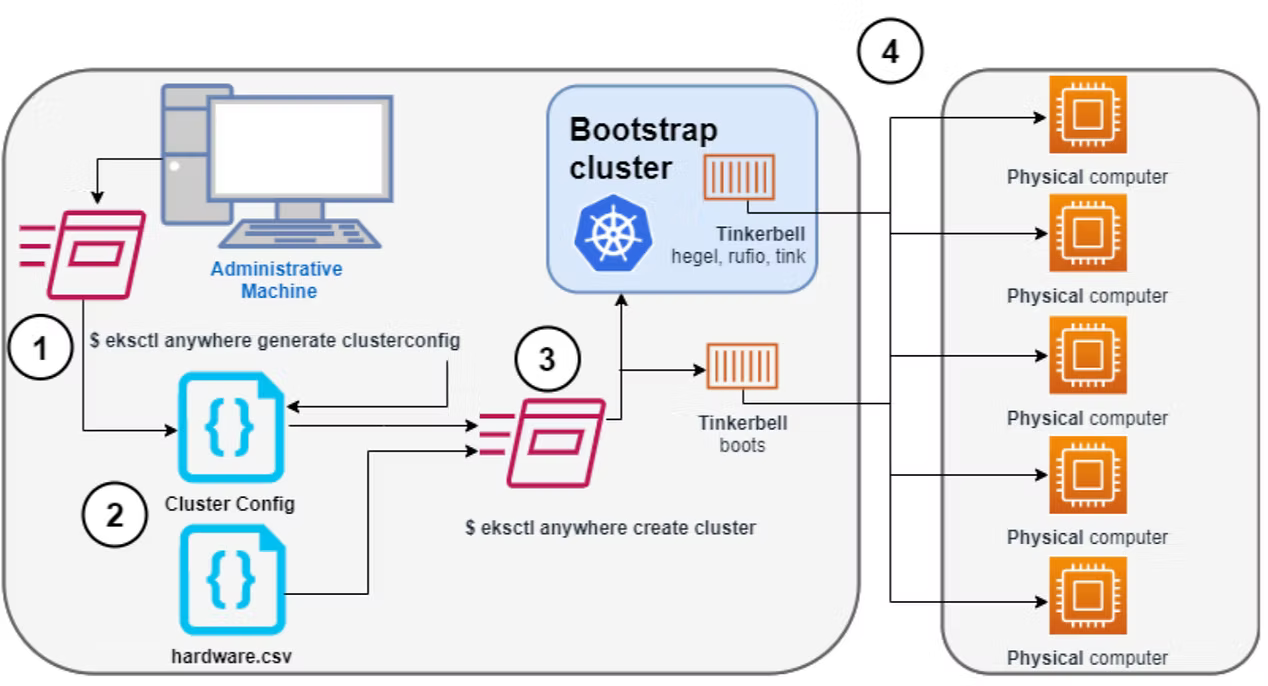
Let’s take a look at creating EKS Anywhere clusters on bare metal. According to Amazon’s documentation, this process is highly manual, as summarized in the infographic and table below.
| No. | Steps | Input | Mode |
|---|---|---|---|
| 1. | Create a config file for Bare Metal | Cluster related parameters (config.yaml) | Manual |
| 2a. | Generate clusterconfig.yaml file | TinkerbellDatacenterConfig TinkerbellMachineConfig Tinkerbell Actions | Manual |
| 2b. | Create hardware CSV file | Hosts inventory information (hardware.csv) | Manual |
| 3. | Launch cluster creation | $ eksctl anywhere create cluster --hardware-csv hardware.csv -f eksa-mgmt-cluster.yaml | Manual |
| 4. | Cluster scaling | config.yaml | Manual |
It’s important to note that the tasks above assume that other critical aspects of the cluster have already been addressed, such as setting up the underlying network fabric (including creating the correct VLANs and routing between compute hosts), ensuring compute hosts are PXE-bootable, and configuring an OS using image builder, among others.
MetalSoft value add
As shown in the previous section, the EKS-A deployment process is complex and prone to errors. MetalSoft simplifies this by abstracting the hardware bootstrapping, cluster deployment steps, network and switch provisioning, and storage provisioning, all within an easy-to-use graphical interface or Terraform-supported EKS-A deployment. The tasks below are handled by the MetalSoft orchestration platform, removing these burdens from the user.
- Automated generation of hardware CSV files
- Automated EKS configuration file generation
- EKS-A installation (Admin node, Control Plane, Worker Nodes)
- Netplan setup and post-OS configurations on worker and control plane nodes
- Switch port configuration
- EKS-A Kubernetes version upgrades
- Cluster scaling (Scale In/Out)
- Host OS version upgrades and customizations, including NFS utilities and self-signed certificates
- Bonding/LACP setup
- Flexible configuration for multiple NICs
- Integration with Flux and ArgoCD
- Support for multi-vendor hardware configurations
EKS-A Cluster buildout process using MetalSoft
This section outlines how an EKS-A cluster can be built easily in just a few clicks, with no manual steps required.
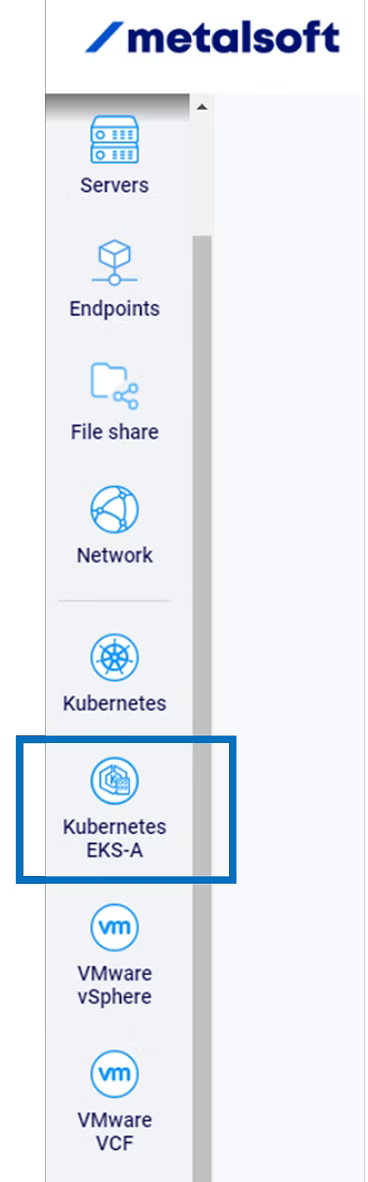
The user first logs into the MetalSoft platform using SSO, then selects the EKS-A tab from the options in the left panel, as shown in the figure below.
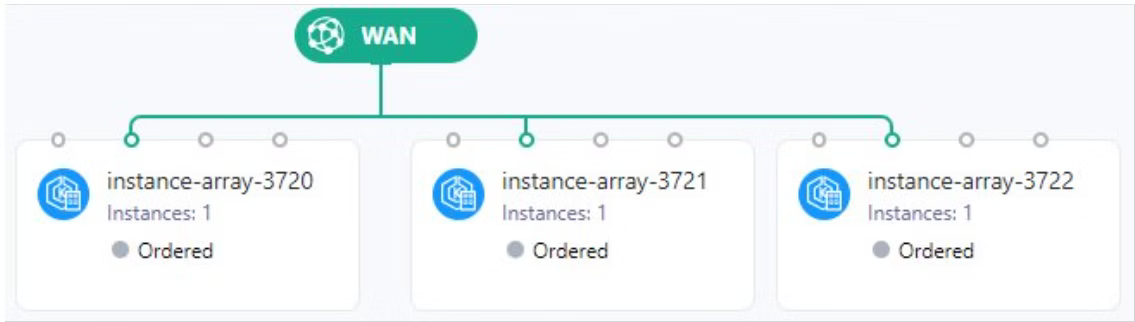
The MetalSoft platform captures the user’s intent to create an EKS-A cluster and automatically populates the necessary cluster configurations in the infrastructure designer pane, as shown below.
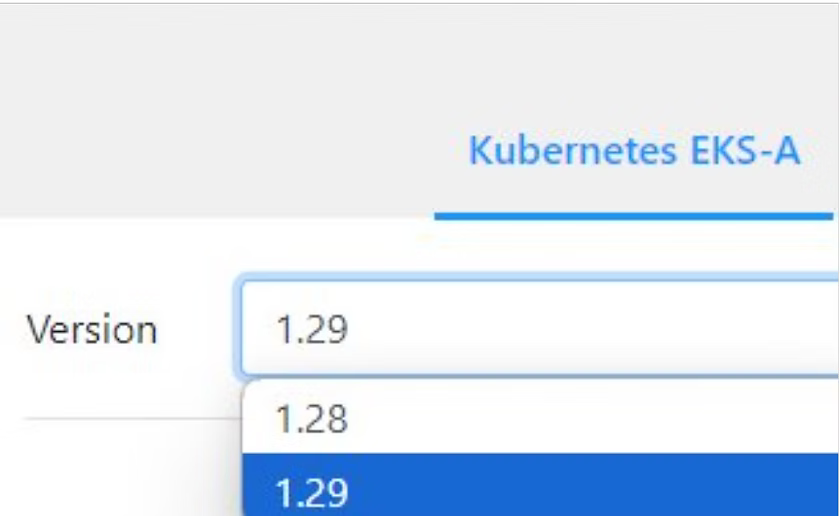
The user can click on any instance and select the desired Kubernetes version for deployment in EKS-A.
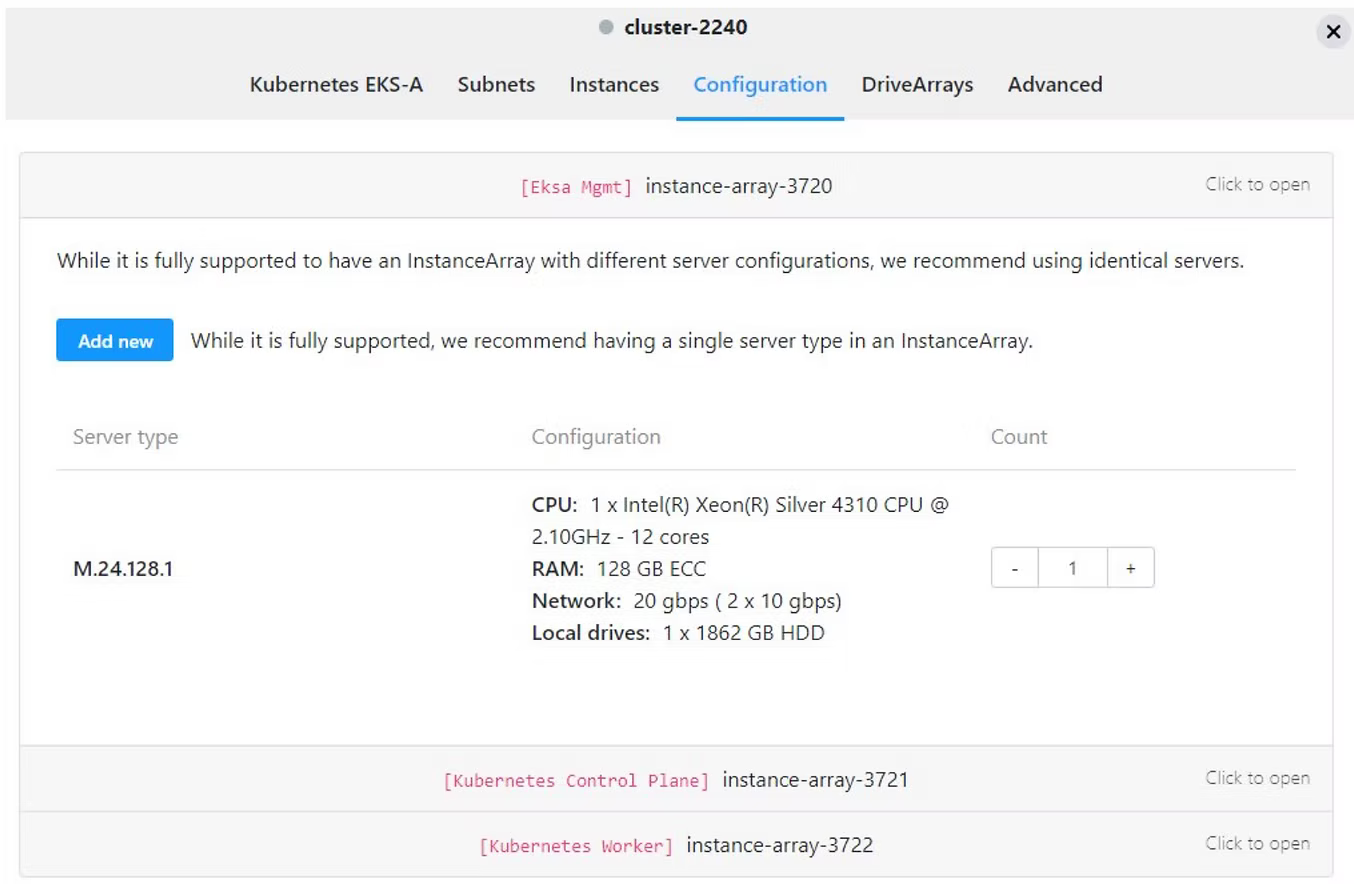
The GUI also offers customization options, such as specifying the number of nodes needed in the Control Plane and Worker nodes for the EKS-A cluster. Users can select different hardware combinations based on their use case, eliminating the need to manually populate the hardware CSV file.
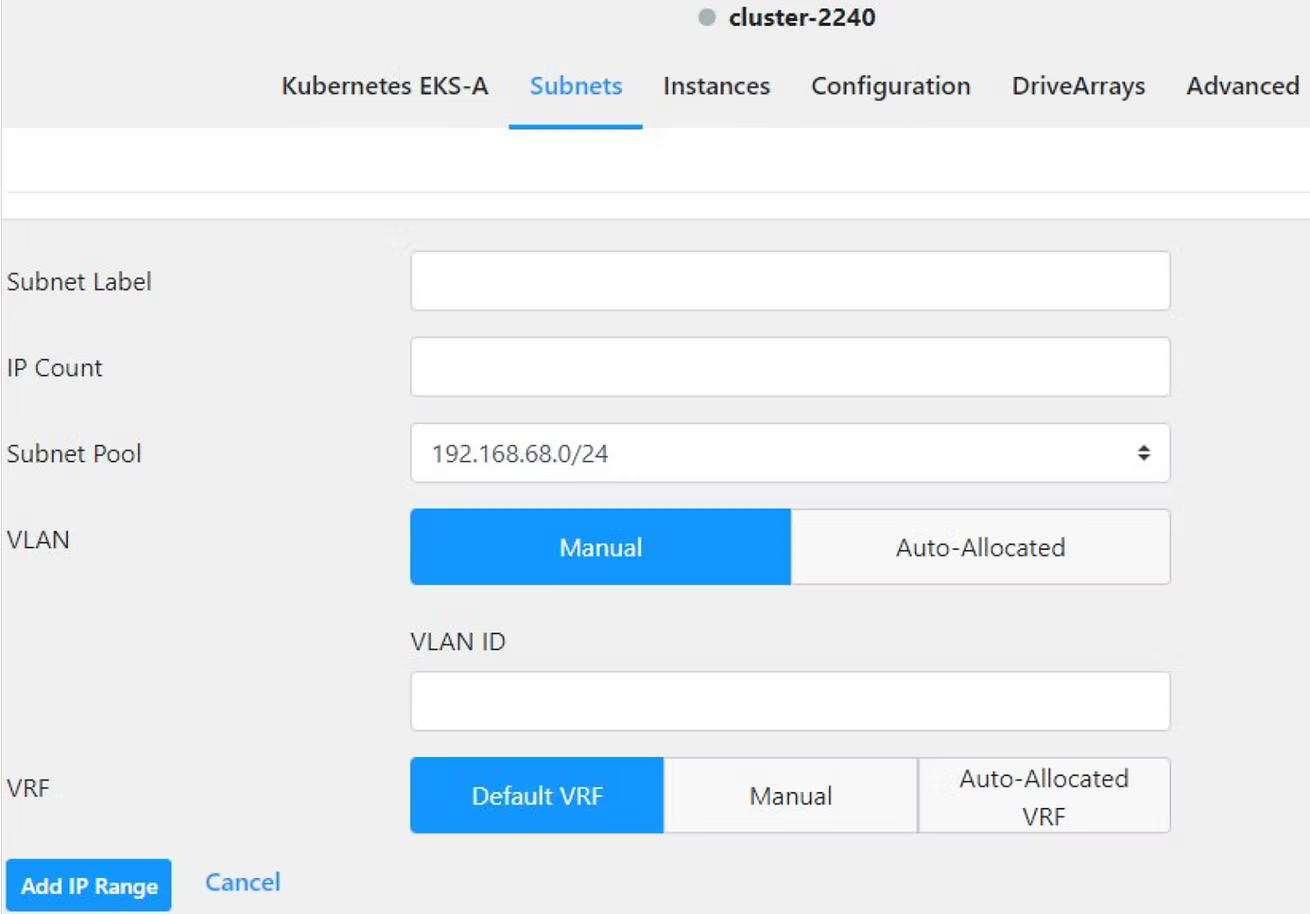
Users can also define the subnets and IP ranges that they want their EKS-A cluster to utilize.
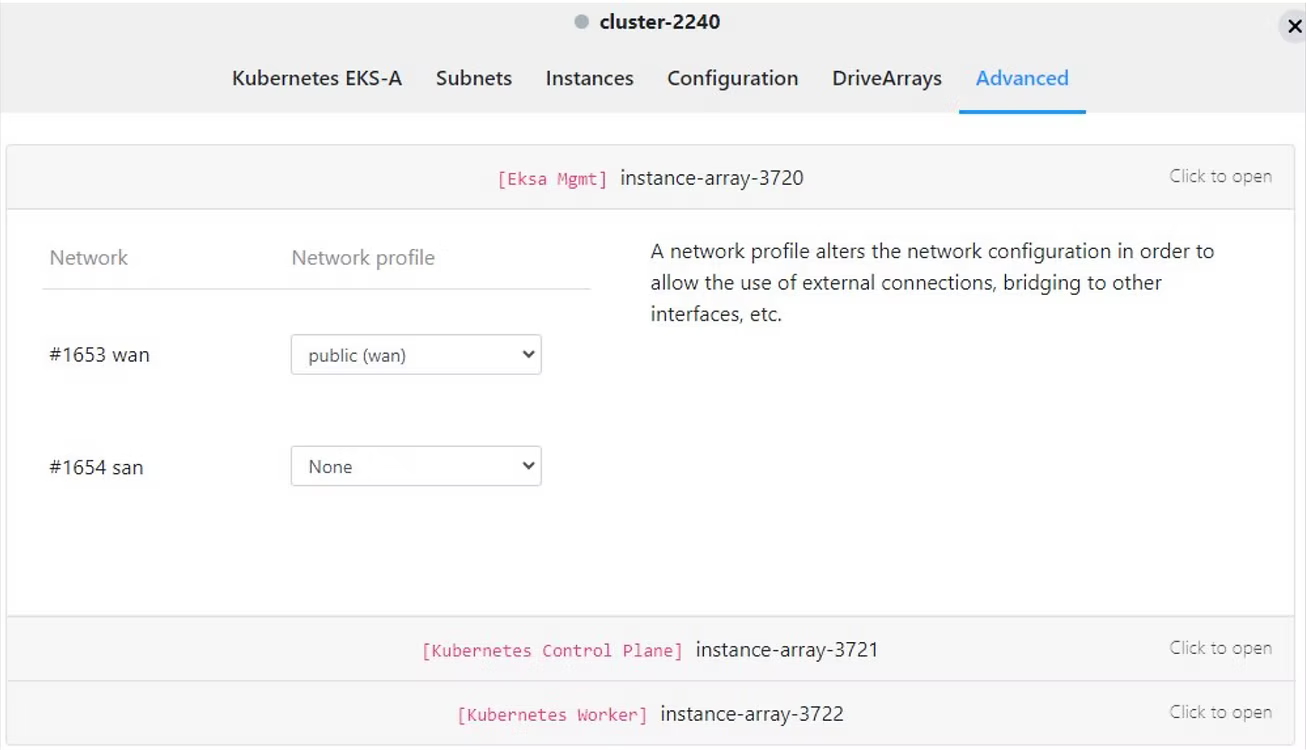
Alternatively, the user can choose pre-defined network profiles while creating the cluster.
After reviewing and making any necessary changes to the cluster configuration through the GUI, the cluster creation process will start automatically. Once the cluster is complete, the platform will provide the endpoint and kubectl configuration file, which can be used to begin deploying workload pods and containers on the newly created clusters.
Summary
In this blog, we explored how MetalSoft simplifies the deployment of Amazon EKS-A clusters, providing an intuitive interface for cluster creation, scaling, and version upgrades. The complex and error-prone nature of EKS-A deployment is addressed by MetalSoft’s orchestration platform, which abstracts various critical tasks, including hardware bootstrapping, network provisioning, and storage setup.